Kubernetes, explained simply
You describe what you want; a stubborn loop makes it true. Pods, nodes, deployments, the scheduler, services and self healing, built up one piece at a time.
Desired state file
Kubernetes only ever asks you one question: what do you want running? You answer in a file. Three copies of this image, this much memory, this port. You never say how, and you never run a single install command by hand again.
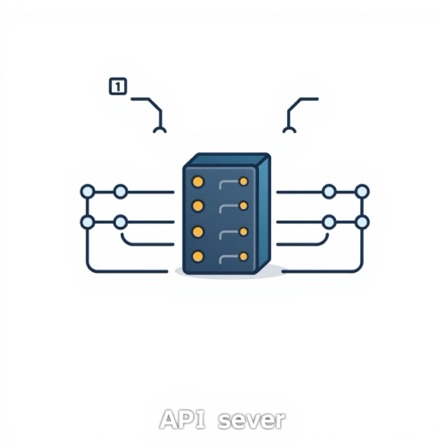
The API server
Everything goes through the API server. Your command, every internal component, every dashboard. It authenticates, validates and writes, and it is the only piece anything else is permitted to talk to, which keeps a genuinely complicated system honest.
The cluster memory
The cluster memory is a small key value store called etcd, said aloud as et see dee. It holds two things: the state you asked for and the state last observed. Back it up and you can rebuild the cluster. Lose it and you own a pile of unmanaged machines.

Controller loop
Now the central idea. Controllers sit in a loop forever, comparing what you asked for against what exists, then doing one small thing to close the gap. They watch for changes and usually react within a second. Nothing is commanded once and forgotten. Everything is corrected, again and again.

Deployment
A deployment is the object you actually write. It names the image, the number of copies and how to roll out a new version: start one new pod, wait for it to pass its checks, retire one old pod, repeat. That is a zero downtime release for free.

ReplicaSet
Underneath, a replica set has exactly one job: make the number of pods equal the number requested. Delete a pod and it reappears within seconds. Nobody ordered a replacement. The loop simply noticed a gap between the wish and the world.
A pod
A pod is the smallest thing Kubernetes runs, usually one container plus its helpers. Everything inside shares an address and local storage, so a sidecar can ship logs or handle encryption right beside your app without you changing a line of it.
The scheduler
The scheduler decides where each new pod goes. It filters out nodes lacking memory or the right hardware, scores the survivors and picks a winner, typically in well under a hundred milliseconds. Then it is finished. It never actually runs anything itself.

Worker node one
A node is simply a machine, physical or virtual, that has agreed to run work. Clusters run from three nodes to a few thousand, and after a while you stop thinking about individual machines at all. You start thinking only in units of capacity.

Worker node two
Pods are spread across nodes deliberately. You can insist that no two copies of your app share a machine, so losing one node costs you a single replica instead of all three. That one rule has prevented an enormous number of very bad mornings.

Kubelet on every node
On every node an agent called the kubelet watches for pods assigned to it, pulls the images, starts the containers and reports back constantly. If the control plane disappears, kubelets keep your running pods alive. You simply cannot change anything until it returns.
Liveness and readiness
Self healing is really two questions asked on a timer, by default every ten seconds. Are you alive, and are you ready for traffic? Fail the first and the container is restarted in place. Fail the second and the pod is quietly taken out of rotation until it recovers.
A service, one address
Pods are mortal and their addresses change constantly, so nothing ever talks to a pod directly. A service is a stable name and address that automatically tracks whichever pods are healthy right now, and it spreads incoming traffic across them.
Ingress from outside
Outside traffic still needs a way in. An ingress maps hostnames and paths onto services and terminates encryption, giving you one public entry point for dozens of applications instead of one expensive cloud load balancer for each of them.

Horizontal autoscaler
Finally the numbers can move themselves. Watch a metric, change the replica count, and the same loop that keeps three pods alive now keeps thirty. That is all Kubernetes is: a stubborn machine closing the gap between what you asked for and what is true.
Watch it explain itself
Every step above is narrated aloud. Play it, or open it in the editor and make it yours — no account needed.